What 6+ Years of UX Brings to AI Development - WCAG Contrast Checker
Date
2026
Service
Product Design • Web Development • Accessibility
Client
Self
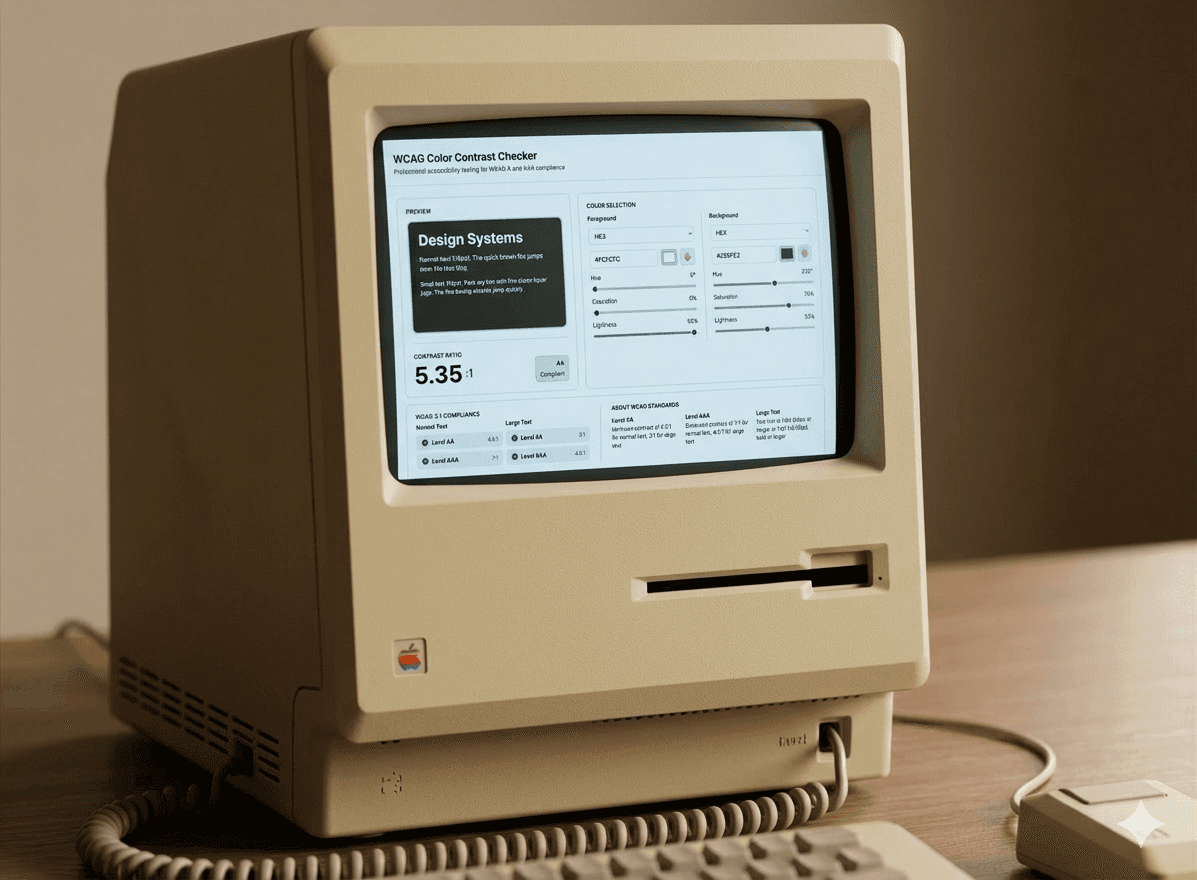
Project Overview
Designers need fast, accurate WCAG testing. Existing tools lack multi-format support, have cluttered interfaces, or miss real-time validation.
Goal: Build a professional tool that makes accessibility testing effortless.
Role
Product Designer & Developer
Tools
Figma Make, Claude AI, Figma, GitHub, Netlify
The Problem
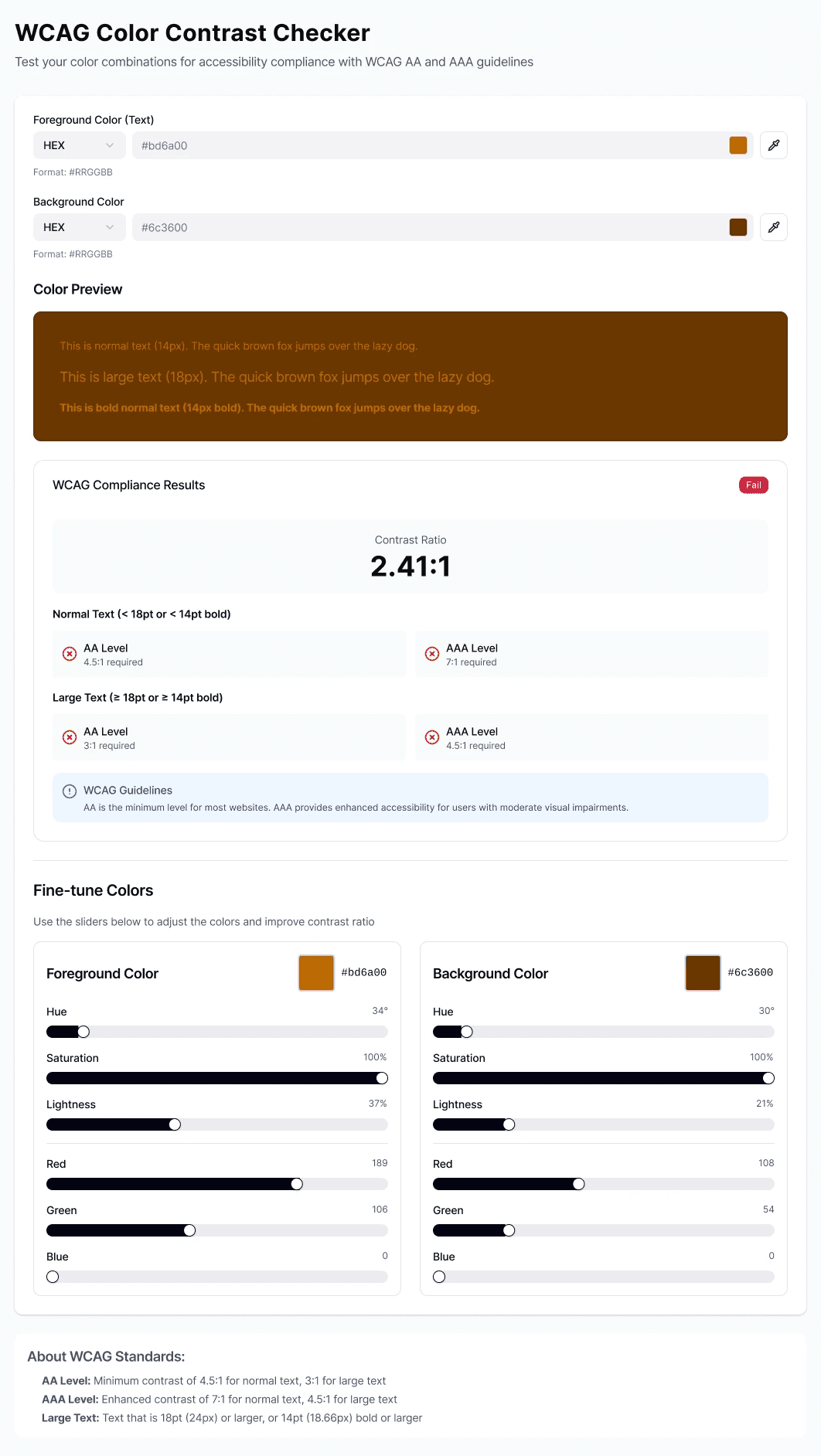
AI generated solid technical foundation—algorithms worked, calculations were accurate. But the UX was broken.
What AI Missed:
No visual hierarchy
Poor information architecture
Generic interaction patterns
Disconnected components
Reality: AI builds functionality. Designers build experience.
Solution / Result
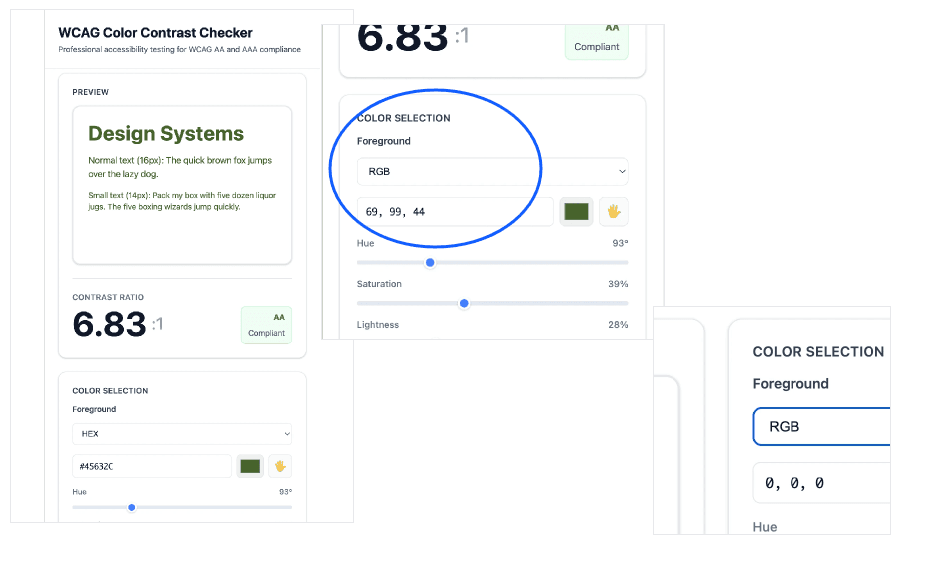
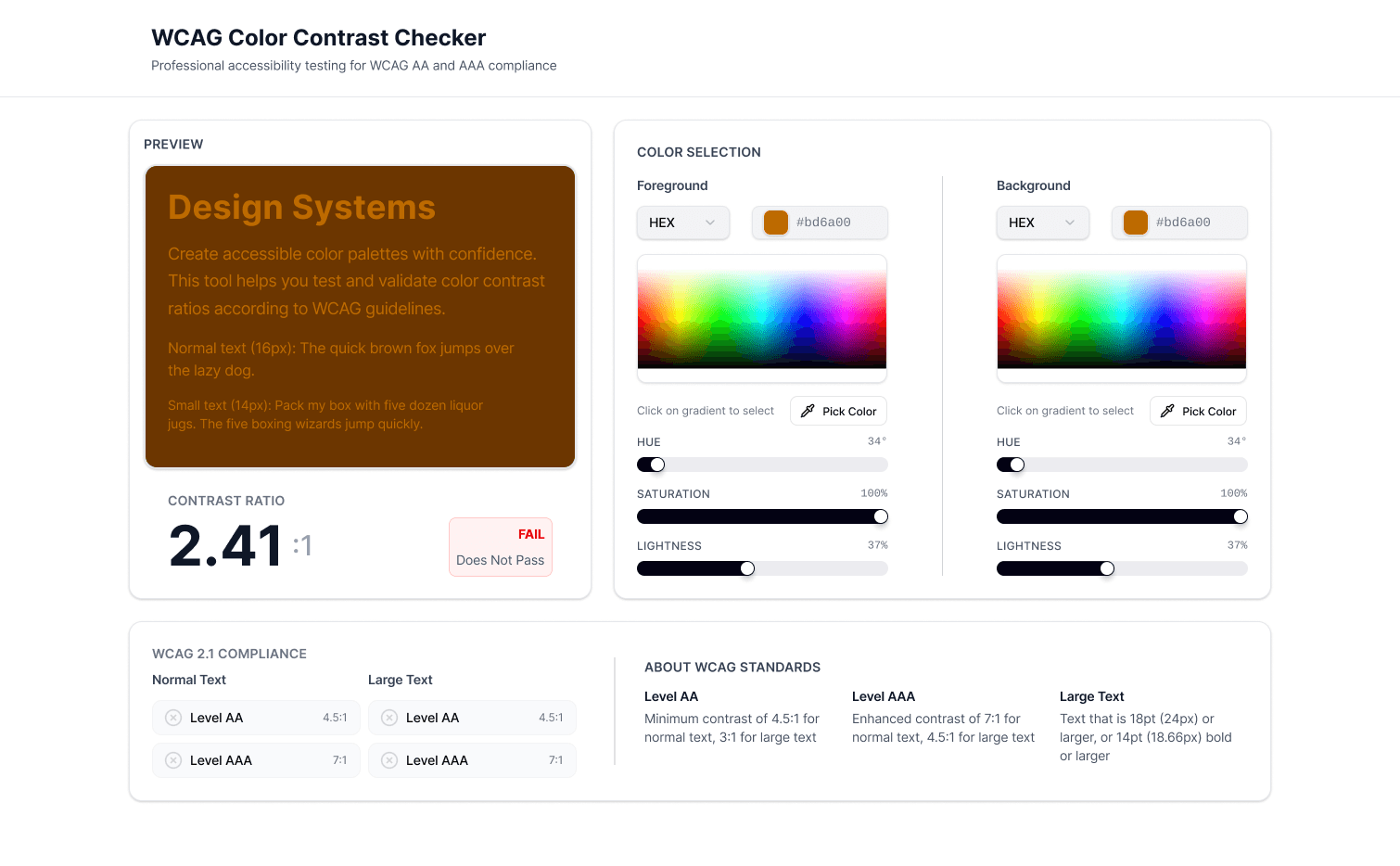
✅ Multi-format support (HEX/RGB/CMYK)
✅ Real-time WCAG 2.1 validation
✅ Professional visual design
✅ Responsive across devices
✅ Accessible by design
✅ Zero dependencies, sub-second load
Production-ready accessibility tool. Built with AI, refined through UX expertise.
Below are interface captures that were the AI output prompt (left) and (right) after implementing UX principles and changes.
Key Highlights
Impact / Takeaway
AI generated 60% of code. I spent 70% of time fixing what it missed.
Lesson: Technical capability ≠ user experience.
Every design decision impacts usability:
Input order matters
Slider placement matters
Badge position matters
Preview size matters
Good tools aren't built—they're designed.
Skills Demonstrated
Product Design
Interaction Design
Information Architecture
Visual Design
Front-end Development
Accessibility (WCAG 2.1)
AI-Assisted Development